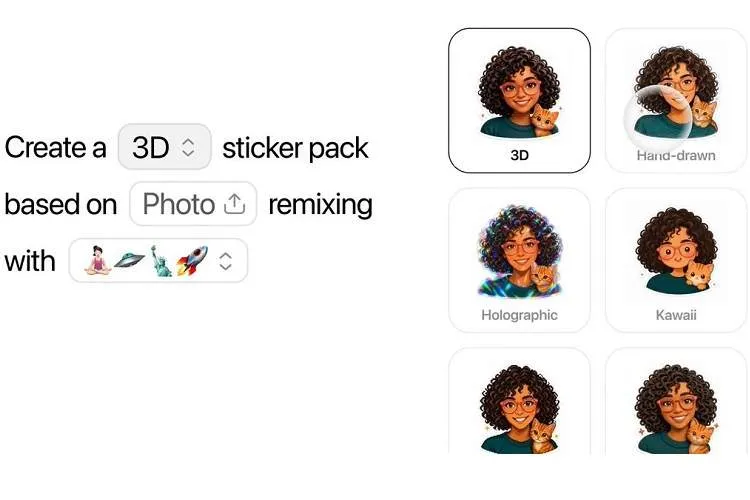
ChatGPT users can now create custom stickers for iMessage and WhatsApp using images and text prompts, and directly transfer them to messaging apps. OpenAI has officially introduced this feature, which also allows creating images with transparent backgrounds.
According to ITNA quoting 9to5mac, to create stickers users should go to the Images section in ChatGPT's sidebar and then select Stickers. After that they can choose one or more images from their gallery and ask ChatGPT to convert the images into stickers. It is also possible to combine several images, create multiple different stickers, add or remove elements, and change the appearance of the images.
One useful capability of this feature is transferring the style of one image to another. Users can provide an image as an example or describe their desired style with a text prompt so that ChatGPT produces the sticker accordingly.
After the sticker is ready, the Add to chat apps option allows transferring it to messaging apps. Currently users can transfer created stickers to iMessage, WhatsApp, or Photos. However, to export to WhatsApp at least three stickers must be ready; this limitation is set by Meta and is not a ChatGPT restriction.
In tests, even a simple command like “Create an iMessage sticker” was enough to convert an image into a sticker. ChatGPT can make the image background transparent and in some cases, using the image expansion capability, reconstruct parts of the photo that were removed.
After selecting iMessage from the transfer menu, the created sticker appears in the dedicated ChatGPT section in the Stickers area of the Messages app. This feature can make ChatGPT a useful tool for creating personal stickers, memes, and custom packs, and simplify the sticker creation process for messengers without the need for separate apps.