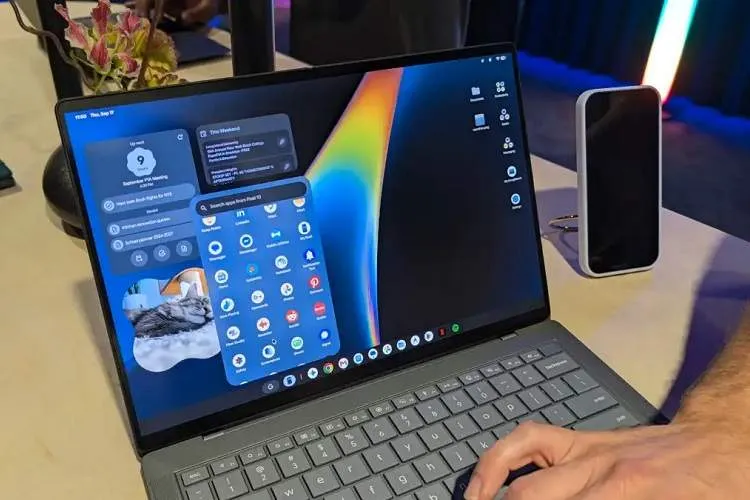
Google, with the introduction of Googlebook, is trying to offer a different experience from traditional laptops; devices that, unlike old Chromebooks, are designed from the ground up to create a deep connection between the computer and Android phones. The Googlebook OS is essentially a desktop version of Android whose user interface is optimized for use with a keyboard, mouse, and larger display.
According to ITNA quoting Techadvisor, one of the most important features of this ecosystem is Continue On. This feature, which is very similar to Apple’s Handoff, allows the user to start a task on their Android phone and then continue on the Googlebook exactly from the same point. Phone apps can also run on the computer in a phone-like window or as a desktop app.
The second important feature is the redesigned Files app. Files and content on the phone will be directly accessible in the Googlebook sidebar, and there will no longer be a need for a cable or separate wireless transfer methods to move photos, files, or email attachments. There is even an AI-based search tool that can inspect file contents and find the appropriate file based on the user’s intended concept or content, even if the file name is not very clear.
The Cast My Apps feature also makes running phone apps on Googlebook easier. Users can access almost all apps installed on the phone via the laptop. Phone, Camera, and Settings apps are excluded from this capability for security reasons. This feature can make tasks like receiving two-factor authentication codes in a messaging app much easier.
The next feature is Shared notifications. Unlike the usual experience of connecting an Android phone to Windows, phone and laptop notifications on Googlebook can be synchronized seamlessly. As a result, the user does not have to constantly switch between phone and laptop to see important alerts.
The fifth important feature relates to mobile gaming. Google has announced that all Play Store games, including more than 20,000 titles, will be playable on Googlebook. There is also the possibility of connecting controllers such as an Xbox controller. In addition to Android games, Googlebooks are suitable for cloud gaming, and each device is shipped with one year of free NVIDIA GeForce Now subscription.
Overall, the main strength of Googlebook is not merely the laptop hardware, but creating an integrated Android ecosystem; an ecosystem that turns the phone and the computer from two separate devices into parts of a single unified experience.