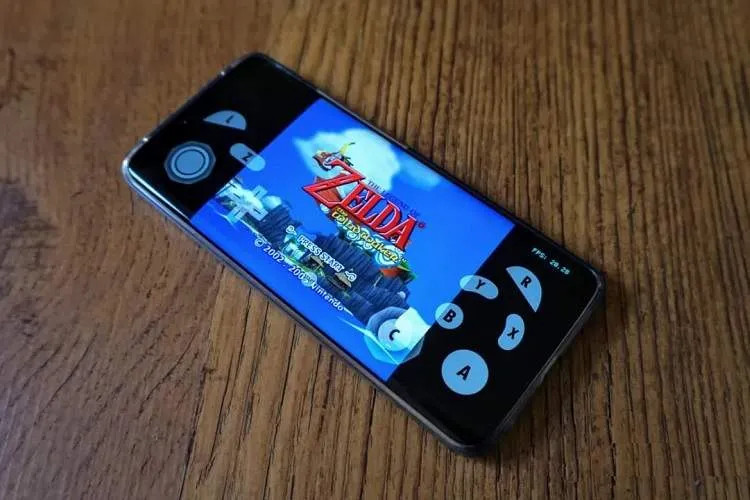
Dolphin is an emulator for the Nintendo GameCube and Nintendo Wii consoles that allows users to run games from these two consoles on PCs and Android devices. In addition to running games at full HD resolution, this emulator offers features such as support for various PC controllers, increased game speed, and networked multiplayer (NetPlay).
According to EITNA citing Techspot, Dolphin supports Windows 10 and 11, Linux, macOS 10.15 Catalina and later, and Android 5 and later. The operating system must be 64-bit. Windows users also need the Visual C++ Redistributable package for Visual Studio 2022 to run the Windows build.
Hardware-wise, Dolphin requires at least a quad-core processor. These four cores are divided between running the emulator's main threads and auxiliary tasks between the CPU and the operating system. Minimum RAM is stated as 2 gigabytes, and RAM speed generally does not have a significant impact on emulator performance.
For better image quality, using a discrete graphics card that supports DirectX 11.1 and OpenGL 4.4 is recommended. More powerful graphics cards allow for increased resolution and enabling more advanced graphical features. For example, an NVIDIA GeForce GTX 1060 or stronger models and AMD Radeon RX 570 or higher can provide adequate performance. On PCs with integrated Intel graphics, some Iris Pro models also perform well, but older graphics prior to HD 4000 are not supported.
One of the most important changes in Dolphin 2609 is the addition of a full NetPlay interface on Android. NetPlay enables online play of games that originally supported local multiplayer. For this mode to run correctly, all emulator instances must be fully synchronized, and for that reason Dolphin uses a deterministic execution mode.
This feature is now available on Android devices as well. Users can connect multiple controllers to one device and configure controller port settings. Currently Android NetPlay requires a conventional network such as Wi‑Fi or Ethernet, but development of Wi‑Fi Direct support has also begun so nearby devices can play together without an intermediary network. Using mobile data for NetPlay is not recommended, as latency and packet loss can disrupt synchronization.
Dolphin also supports cross-play between the desktop and Android versions; that is, players can join the same multiplayer game with a phone and a computer. However, differences in the x86-64 architecture in PCs and ARM in many phones may cause desynchronization. Differences in just-in-time (JIT) compilation and performance of different graphics drivers are also potential causes of synchronization issues.
Despite these limitations, the addition of NetPlay to Android is one of the most significant features of Dolphin 2609 and narrows the gap between the mobile emulator and the desktop version.