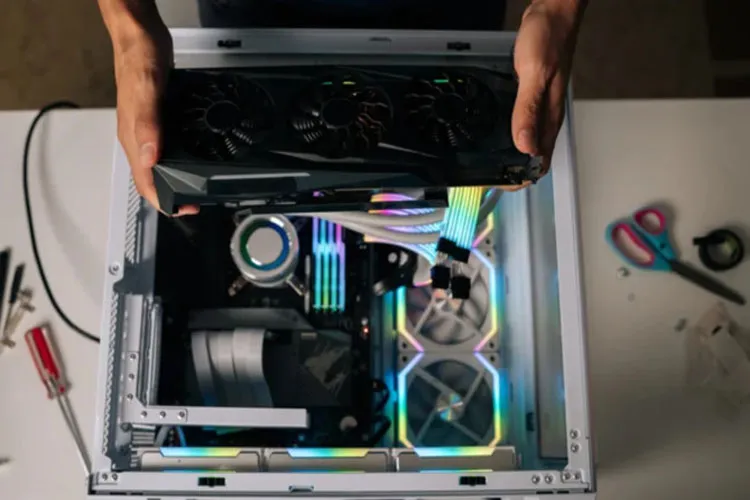
Upgrading components is one of the most important advantages of personal computers. Users can add more RAM, upgrade the CPU, or install a new graphics card to improve game performance depending on their needs and budget. Although swapping a graphics card may seem complicated to inexperienced users at first glance, the physical installation process usually does not take long.
For most users, installing a new graphics card takes about 10 to 30 minutes. Of course, the time required depends on the individual's experience, the type of case and graphics card, and the installation conditions. The harder part of the job usually begins after the physical installation, when preparing the software and drivers for the new card.
How is a graphics card replaced?
Before starting, you should completely shut down the computer and unplug its power cable. To reduce the risk of damage from static electricity, you can also use an anti-static wrist strap or similar equipment.
In the first step, disconnect the power cable attached to the old graphics card. Then remove the screws that secure the card to the case and release the PCIe slot latch or retention clip on the motherboard. After that you can gently pull the graphics card out of the slot.
Installing the new card follows roughly the same steps in reverse. Place the card into the PCIe slot so it sits properly, close the retention clip, secure the card to the case with screws, and finally connect the power supply cable to it.
If you have enough experience, this part of the work can take only about 10 to 20 minutes.
After installing the hardware, it's time for drivers
With the new graphics card in the case, the work is not yet finished. The operating system needs drivers to communicate properly with the hardware. A driver is software that enables the operating system to interact with various computer components, and the graphics card is no exception.
If your previous graphics card was from the same manufacturer as the new one, you may be able to update the existing driver; but if the brand has changed or there are problems with the old drivers, it's better to uninstall old versions before installing the new driver.
This can be done before removing the old card or after swapping the hardware, but in any case it is better to do it before installing the new card's driver.
After that you should download and install the latest driver compatible with your graphics card from the manufacturer's official website. AMD and NVIDIA drivers are usually updated periodically to fix software issues and improve performance in new games and applications.
Installing a graphics card can take longer
The physical process of swapping a graphics card is usually simple and quick, but installing the driver can take longer. Ideally, after installing the new driver the system will recognize the graphics card without issues and you can use it immediately.
However, driver incompatibilities, leftover files from the previous card, or software problems can make the installation process take longer. In such cases you may need to reinstall drivers or perform additional steps to resolve the issue.
Therefore, if you plan to replace a graphics card, rather than considering only 10 to 20 minutes for the physical install, it is better to have at least half an hour free so you won't rush troubleshooting if a software problem occurs.
In the end, for most users, replacing a graphics card is one of the simplest hardware upgrades. If a card compatible with the motherboard, case, and power supply is chosen and the installation steps are performed carefully, the system can be ready to run more demanding games and applications in a short time.