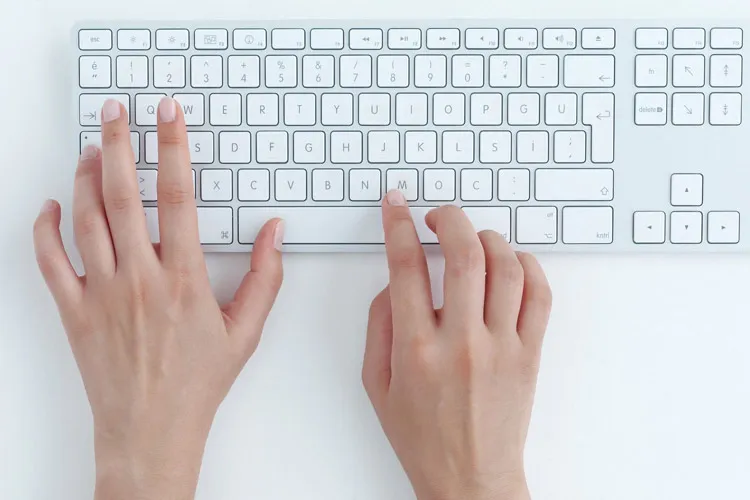
When buying a new keyboard, users usually pay attention to factors such as switch type, design, size, key layout, lighting, and extra features. These items are undoubtedly important in choosing a suitable keyboard, but one of the most practical features of these devices receives less attention: dedicated media control keys.
Media keys allow the user to control music and video without needing to use the mouse or open the playback window. Play/pause, skipping to the next or previous track, and adjusting volume are among the most important functions available with these keys.
Even on keyboards that don't have dedicated keys for these features, you can usually use the Fn key in combination with other keys to access media controls. However, dedicated keys provide a faster and simpler experience.
Why do compact keyboards usually lack media keys?
One of the problems we face when choosing compact keyboards is the removal of some auxiliary keys to reduce dimensions. Manufacturers in smaller, portable models often omit sections such as the numpad or dedicated media keys to save space.
This is seen even more in keyboards designed for travel and use outside the home. Such products, focusing on small size and easy portability, leave out some of the auxiliary features of larger keyboards.
For this reason, if media control keys are important to you, it's better to specifically check for their presence when buying.
What advantage do dedicated media keys have?
The main advantage of these keys is very simple: they make media control faster, more convenient, and more reliable. Imagine you're gaming, watching an online video, or attending a meeting while music or other audio plays in the background. In such situations, you don't need to leave the current environment and go to the player window to change the volume or stop the music.
By pressing a dedicated key you can pause playback, resume it, change the track, or adjust the volume. This becomes especially important when multitasking.
Media keys are more reliable in Windows 11
Another advantage of dedicated media keys is that the user knows exactly what each key does. In Windows 11, when using some media shortcuts activated with the Fn key, clear on-screen feedback isn't always shown.
This issue becomes more significant when the user is simultaneously engaged in a game, online meeting, or video. In such cases, it may be unclear whether a shortcut has been registered correctly or whether the key combination was pressed incorrectly.
Dedicated keys largely eliminate this ambiguity, because each key is designed directly for a specific function; for example, pause or resume playback, change track, or adjust volume.
There are also software and auxiliary tools
Of course, having a keyboard with dedicated keys is not the only way to easily control media. There are programs that can display notifications related to pressing media keys. Macro tools also allow users to customize the functions of various keys according to their needs.
Alongside these, media and macro pads can also provide a set of dedicated keys to the user. Products like the Elgato Stream Deck are examples of these tools that, in addition to media control, allow quick execution of many customized commands and shortcuts.
However, for a user who only seeks quick and simple media control, buying and using a keyboard equipped with dedicated keys remains the simplest solution.
A simple feature that can improve the computer experience
One of the most important advantages of dedicated media keys is their simplicity. Unlike many software tools and peripheral devices, using this feature usually doesn't require complex settings or installing additional programs. Just connect the keyboard to the computer and use the relevant keys.
Windows 11 also natively supports these keys, and they can be used to control various media content, from music and video to slide shows.
In the end, although design, switch type, and size are very important when choosing a keyboard, dedicated media keys are one of those simple features that can make a noticeable difference in everyday use. Therefore, if you regularly deal with music, video, gaming, or online meetings, it might be worth adding this feature to your priority list when buying a new keyboard.