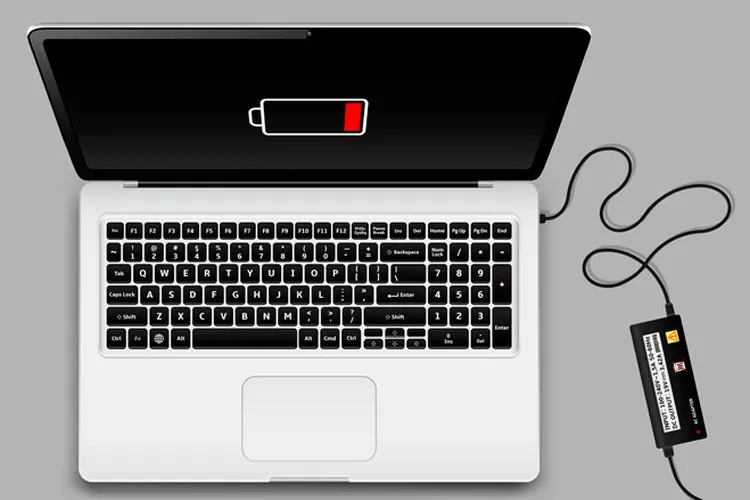
If you have recently bought a laptop, you have probably heard the old advice that the device should be plugged in for several hours before first use or that its battery should be fully discharged once and then charged. But today's batteries differ from older generations, and to use a new laptop you no longer need to perform such a process.
Buying a new laptop usually comes with a set of old recommendations about the battery; including that the device should be connected to the charger for 12 to 24 hours before being turned on for the first time. Another recommendation says you should let the battery drain completely and then charge it to 100 percent to determine its true capacity.
These recommendations originate from a time when rechargeable batteries used technologies like nickel-cadmium (NiCd) and nickel-metal hydride (NiMH). Those batteries were prone under certain conditions to a phenomenon known as the "memory effect," meaning repeated discharge and charge within specific ranges could reduce usable capacity.
But modern laptop batteries are mostly lithium-ion (Li-ion) or lithium-polymer (LiPo), and their behavior differs from old batteries. Lithium batteries do not require full charge-discharge cycles to start working or to maintain their capacity. In fact, full and repeated discharge can put more stress on them.
So how many hours should we charge a new laptop?
The short answer is: there is no mandatory time for initial charging.
If your new laptop has charge when you unbox it, you can turn it on and use the device without waiting for the battery to reach 100 percent. However, plugging the laptop into the charger during the first setup can be a good choice; especially if you plan to perform operating system installation, updates, and data transfer.
The reason for this recommendation is mainly to prevent the device from shutting down unexpectedly during setup, not because the battery needs special "calibration" or preparation for first use.
For example, Dell has also stated that charging a new laptop battery before use is a good practice but not mandatory. The company says a new laptop typically ships with partial charge and, depending on the model, a full charge can take several hours.
So if your laptop comes out of the box with, say, 50 percent charge, you do not need to wait hours before turning it on. You can plug the device in and proceed with setup at the same time.
Should we fully discharge the battery once?
No. This is one of the most important old beliefs about laptop batteries that does not apply to modern lithium batteries.
Completely discharging the battery is not only unnecessary for increasing capacity, but frequent deep cycles can increase battery wear. Partial discharges do not harm lithium batteries and in many cases it is better to recharge the battery before it reaches zero percent.
Therefore, you do not need to wait for the laptop battery to reach zero percent and then plug it in. If you have access to an outlet, you can charge the battery during use.
What is the best charging range for a laptop battery?
For extending battery life, daily usage patterns are more important than an "initial charge."
Microsoft recommends that to help extend lithium-ion battery life, keep the charge level mostly in the mid-range, around 20 to 80 percent, and avoid frequent full discharges. Also, high heat can accelerate battery wear.
This does not mean that reaching 100 percent or dropping below 20 percent will immediately damage the battery. These ranges are more of a long-term usage recommendation and users should not obsessively monitor battery percentage.
If needed, charging to 100 percent is perfectly normal; for example, when you plan to be away from a charger for several hours.
Does keeping a laptop plugged in constantly cause a problem?
Another common question is whether, if a laptop mostly sits on a desk, it is better to keep it plugged in all the time or not.
Modern laptops use battery management and charge control systems and after reaching a certain level they manage charging. So keeping the laptop plugged in does not mean the battery is continuously receiving energy without interruption.
However, keeping the battery at 100 percent for a long time is not ideal for long-term battery health. Prolonged time at high charge, especially combined with heat, can increase battery wear. For this reason many manufacturers offer features to limit charging or intelligently manage it. Microsoft also explains that Smart Charging can prevent continuous charging to 100 percent.
For example, on some laptops you can set a charge ceiling at about 80 percent. Dell also uses modes on some of its newer models that limit charging to around 80 percent during long-term connection to power.
On new MacBooks, Optimized Battery Charging can delay charging above 80 percent until the system predicts the user will need a full charge. On some models equipped with Apple silicon and recent macOS versions there is also the option to set a Charge Limit between 80 and 100 percent.
How long does it take to set up a new laptop?
The time required for initial setup depends on what you intend to do. If you only want to unbox the laptop, start the operating system and get to the Windows or macOS desktop, this process may take less than 30 minutes.
At this stage you usually choose language and region, connect to Wi‑Fi, create or sign into an account, and perform some basic settings.
After entering the operating system it is also better to install system updates and drivers. Then you can install a browser, productivity software and other needed applications.
But if you also plan to transfer data from an old computer, the story is different. File sizes, network speed and transfer method can increase the required time from tens of minutes to several hours.
Also installing numerous applications, security settings, customizing the environment, configuring backups and recovery options can prolong the setup process. In such cases, allocating two to four hours for fully preparing a new laptop is not unexpected.
So if you decide to plug the laptop into the charger during setup, consider that time part of the setup process rather than thinking the device must remain plugged in for hours because of an "initial charge."
In the end, there is no need for a 12- or 24-hour charge before first use of a new laptop. Use the battery according to its current state, plug in during setup if needed, and avoid frequent full discharges. If the laptop is mostly on a desk and plugged in, enabling smart charging features or limiting charge, if supported by the device, can help reduce long-term battery wear.
These recommendations align with current guidance from companies such as Microsoft, Apple and Dell; their common approach focuses more on managing charge level, reducing time spent at 100 percent and preventing excessive heat rather than performing a full charge-discharge cycle before first use.