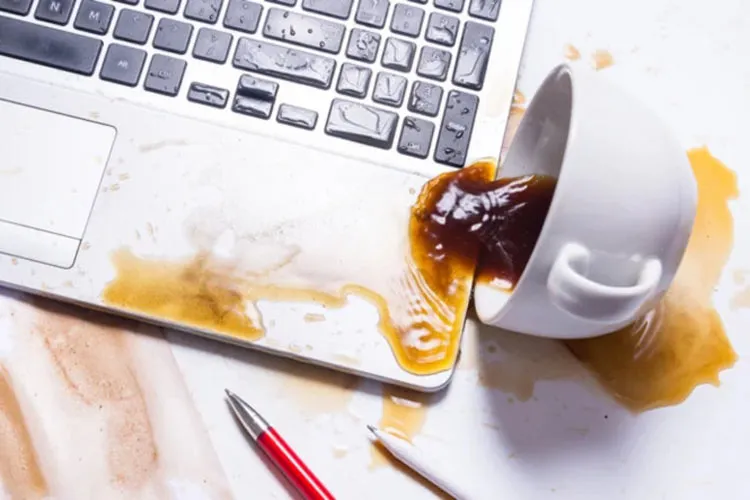
Spilling liquid on a laptop can turn a few seconds, a normal workday, or an online shopping session into an expensive disaster. Liquid spills are one of the worst accidents that can happen to a laptop, and many users, in the first moments, take actions to save their device that multiply the damage or even void the laptop’s warranty.
One of the biggest mistakes in such situations is rushing to power on the device before it is completely dry. If you turn on the laptop before the moisture has fully evaporated, the likelihood of serious damage to electronic components greatly increases.
Ferd Langa, a technology writer and editor, advises that a few drops of liquid usually dry completely within a day. But if a large volume of liquid has been spilled and it needs to be drained from inside the laptop, you should wait about three or four days for it to fully dry. Langa explains: “If you fully drain the laptop and then place it in a warm, dry spot (if necessary put it in a plastic bag with plenty of desiccant), three or four days should be enough to remove remaining moisture even after heavy spills.”
Some Reddit users agree with this approach and have reported that it takes roughly two to three days for a laptop to work properly again after cleaning and drying the stain. However, they emphasize not to panic, because that reaction can make the problem worse. One user wrote: “People usually panic and want to see if the laptop still works, but by turning it on they create a short circuit.” So with a bit of patience and proper precautionary measures, you can save your laptop from imminent or perhaps unnecessary failure.
Safely wipe away the liquid before drying
Before letting the laptop air-dry, you should thoroughly clean it and remove as much moisture as possible. iFixit strongly urges laptop owners to immediately and safely disconnect their device from any charger or power source. As with iPhones or other smaller devices, you should wait for the device to be completely dry before recharging it.
After unplugging the charger, if the laptop is still on, turn it off. Then turn it over and shake it to drain any remaining liquid. If possible, removing the battery and perhaps disassembling the device to clean individual parts, including the motherboard, and allowing them to dry separately will be helpful.
Reddit users also advise people to clean the laptop after a spill; otherwise, in their words, the device’s life is over. One user wrote: “Computers don’t like conductive liquids. That’s a fact. Even if the computer still works a few minutes after getting wet, if something spilled (most devices can tolerate a few drops, but a spill is not acceptable), clean it immediately.” If ignored, conductive liquids gradually corrode components and eventually lead to costly repairs or the need for a new laptop.