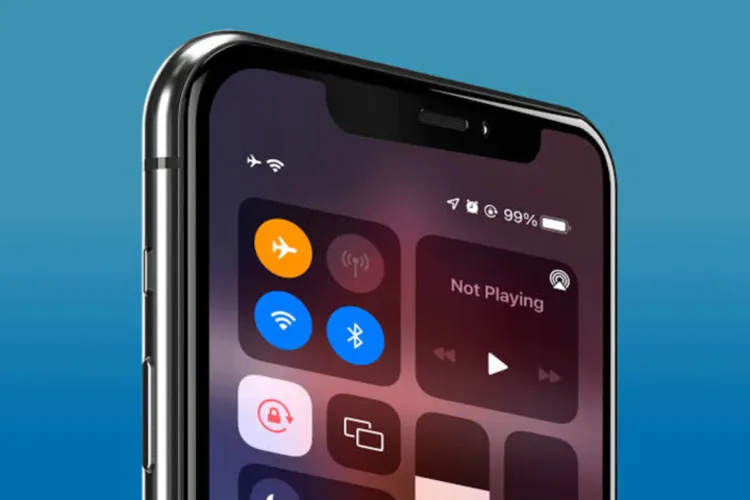
Many users assume that enabling airplane mode stops all phone communications and activities, but the reality is different. This feature mainly disconnects the cellular network, while the processor, apps, some wireless connections, and even the positioning system may remain active.
Airplane Mode is one of the commonly used features of smartphones that users employ to avoid calls, reduce notifications, save battery, or temporarily distance themselves from online communications.
However, the disappearance of the network icon from the top of the screen does not mean the phone is turned off or that all its activities have stopped.
In fact, after this mode is enabled, the operating system, processor, and memory continue to work, and many apps can perform their tasks without an internet connection.
The main change concerns how the device communicates with external networks; an issue that may vary depending on the phone model, operating system, and user settings.
Which connections does airplane mode disable?
The most important function of airplane mode is to disable the phone's cellular connections. When this feature is enabled, the device's connection to the mobile network is cut off and regular calls and text messages that use the operator's network will not be available.
But this change does not mean the device is turned off. The processor, memory, and operating system remain active and apps that do not require the internet for operation will be usable.
Another important point is that airplane mode does not necessarily keep all wireless connections disabled for the duration it is active.
On many of today's phones, the user can turn Wi‑Fi or Bluetooth back on after enabling airplane mode. Some devices also remember the user's previous settings and preserve the same connection state when this mode is activated again.
Wi‑Fi and Bluetooth can still be active
One of the most common misconceptions about airplane mode is that when it is enabled, the phone completely disconnects from all wireless networks.
Whereas many smartphones allow the use of Wi‑Fi and Bluetooth even while airplane mode is on.
For example, the user can turn on Wi‑Fi, connect to the internet, browse the web, or use messaging apps.
Also, connecting wireless headphones, smartwatches, and other accessories via Bluetooth may still remain possible.
Therefore, enabling airplane mode does not necessarily mean complete disconnection from the internet. If the user's goal is to cut all wireless connections, they should also check the status of Wi‑Fi and Bluetooth separately.
What do apps do in airplane mode?
Enabling airplane mode does not close apps or stop all internal processing of the phone.
The user can still watch stored videos, listen to downloaded music, read files, edit photos, or run games that do not require an internet connection.
Some apps may also continue their internal activities, such as processing images, indexing files, or preparing data for later synchronization.
On the other hand, features that depend on internet servers face limitations when there is no network connection.
For example, receiving new content, online messages, cloud backups, and file uploads may be suspended or delayed until the internet connection is restored.
This distinction also applies to notifications. Notifications that depend on the phone's internal functions, such as some reminders, may still be shown; but notifications that rely on internet servers will not be received at their usual time without an appropriate connection.
How much battery does airplane mode save?
One of the advantages of airplane mode is the potential to reduce power consumption; especially in places with weak mobile network coverage.
In such conditions, the phone may consume more energy trying to find or maintain a connection to the network. Disabling cellular connectivity can reduce this extra consumption.
However, the amount of battery savings is not the same for all users and depends on factors such as phone model, battery health, screen brightness, active apps, and Wi‑Fi and Bluetooth status.
Even with airplane mode enabled, the screen, processor, and background activities still consume power. For this reason, if the user is running heavy games or continuously using the screen, the battery savings may not be very noticeable.
Does airplane mode disable GPS and location tracking?
Enabling airplane mode does not necessarily turn off GPS. On many phones, the GPS receiver can still receive satellite signals and determine the device's geographic location without needing a cellular network connection.
Of course, cutting cellular or Wi‑Fi connections may in some cases affect the speed or accuracy of positioning, because the phone can no longer use some network-assistance information.
On the other hand, sending location to apps or other people depends on factors like internet access and permissions granted to apps. Therefore, airplane mode does not guarantee that all location or tracking activities will stop.
Users who want to limit sharing their location should also separately check location service settings and app access permissions.
Difference between airplane mode and turning off the phone
The main difference between these two states is the level of device activity.
Airplane mode changes how the phone communicates with external networks, but the operating system and many internal functions remain active.
In contrast, turning off the phone stops most active system processes and the device no longer continues to run apps as it does when it is on.
For this reason, airplane mode should be seen as a tool for managing communications, not a method for completely stopping the phone's activities.
Ultimately, this feature can be useful for reducing call disturbances, limiting cellular connections, and saving energy in some situations, but it should not be considered equivalent to turning off the phone or definitively cutting all communications and location capabilities.